
RealEye survey routing and parameters
How a participant moves between your survey and a RealEye study, and what comes back to you.
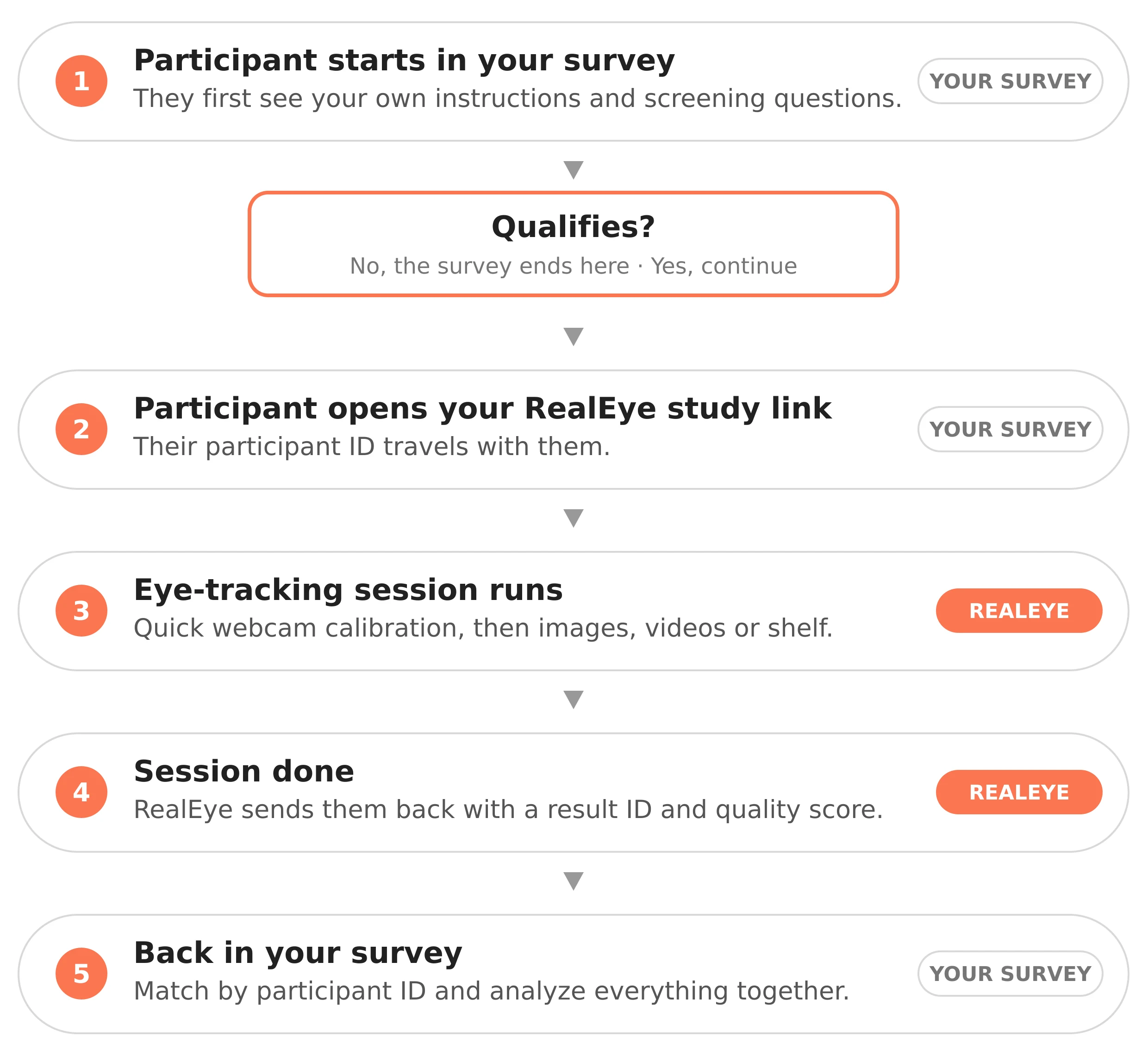
#How it flows
- Participant starts in your survey. They see your instructions and screening questions. (Your survey.)
- Qualifies? No — the survey ends here. Yes — they open your RealEye study link, and their participant ID travels with them. (Your survey.)
- Eye-tracking session runs. Quick webcam calibration, then your images, videos, or shelf. (RealEye.)
- Session done. RealEye sends them back to your survey with a result ID and quality score. (RealEye.)
- Back in your survey. Match by participant ID and analyze survey answers with eye-tracking results. (Your survey.)
#The links
Your survey sends qualified participants to:
https://app.realeye.io/test/<study-id>/run?realeye-tester-external_id=<ABC123>
Add reio-skip-instructions=1 if you want to skip RealEye's intro screens — see Skipping study instructions.
When the session ends, RealEye adds the result ID and quality score to your Finish URL:
https://your-survey.com?realeye-tester-id=id&realeye-tester-quality_grade=grade
Do not add these return parameters yourself — RealEye appends them automatically when the Attach information about the participant to the Finish URL option is enabled.
#Parameters at a glance
realeye-tester-external_id— your participant ID, so you can match the data later.realeye-tester-age— participant's age (optional).realeye-tester-gender— participant's gender as a numeric value:1→ Male,2→ Female (optional).realeye-tester-tags— comma-separated tags to label and filter participants (optional).realeye-tester-id— unique result ID, returned by RealEye (added automatically).realeye-tester-quality_grade— participant's quality score (1–6), returned by RealEye (added automatically).
#Who does what
- Your team — adds the RealEye study link to your survey, invites your own participants, and matches survey answers with eye-tracking results by participant ID.
- RealEye — runs the eye-tracking session and appends the return parameters to the Finish URL.
#Quick notes
- This setup uses own participants only — RealEye panelists are not used. See Own Participants.
- Do not add the return parameters yourself; RealEye appends them automatically.
- For a step-by-step setup, see External Tool Integration and the Qualtrics walk-through.
- For more on participation-link parameters, see Add parameters and tags to the Participation Link.
- If your survey cannot redirect to RealEye, see Integrating RealEye Tests into Surveys Without redirects.
💌 If you have any further questions, feel free to reach out to our team at support@realeye.io