
Measure Reaction Times using clicks and keypress
Reaction time or response time refers to the time between when we perceive something and when we respond to it. It is the ability to detect, process, and respond to a stimulus. When running a neuro-research, you may be willing to add this additional layer to the other eye-tracking metrics to see respondents hidden preferences.

Learn when and what the participants are clicking. RealEye can also register keypress events, which may help you gather information about reaction times.
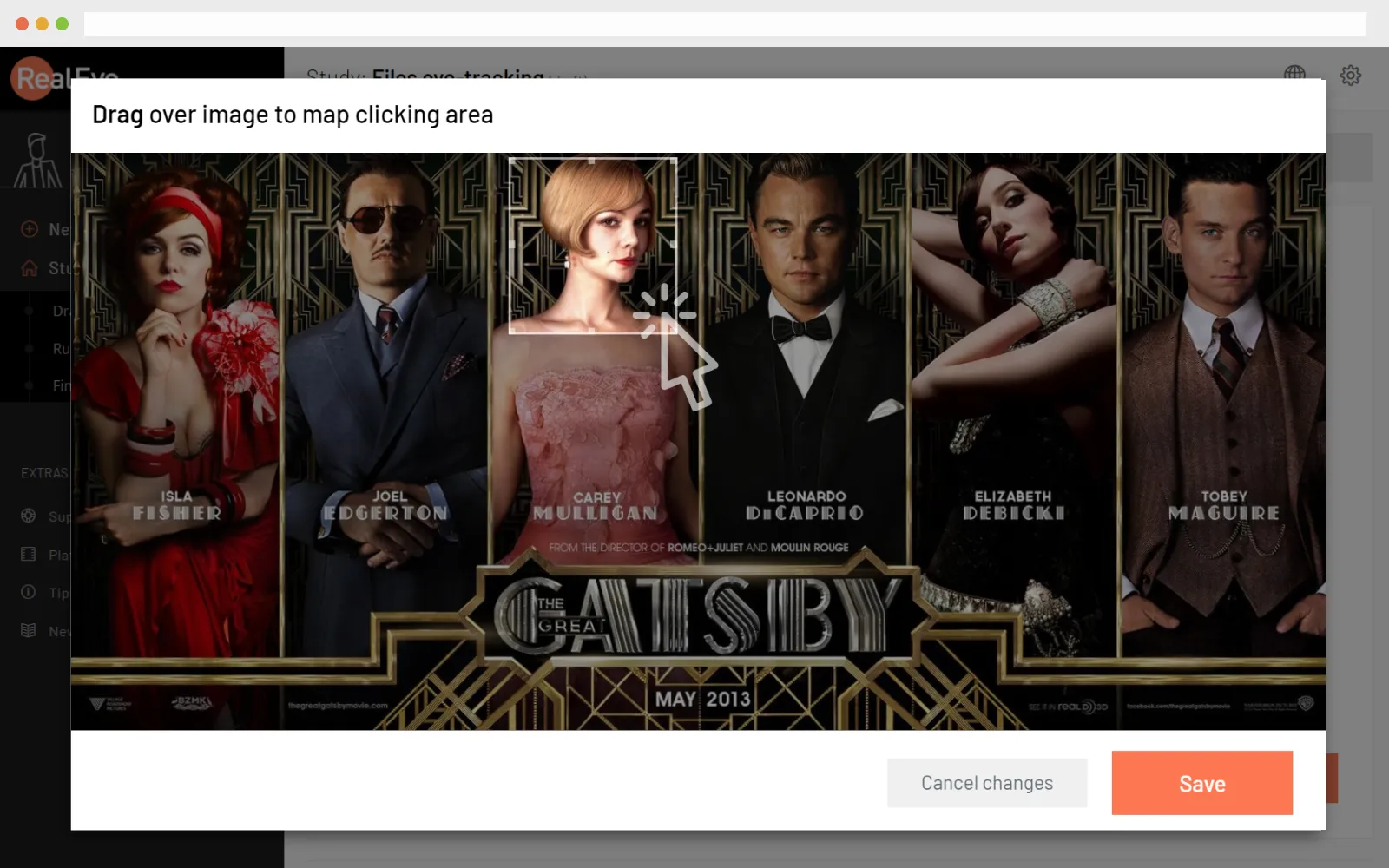
Select area (or the entire image) to allow participants move forward by clicking the hotspot.
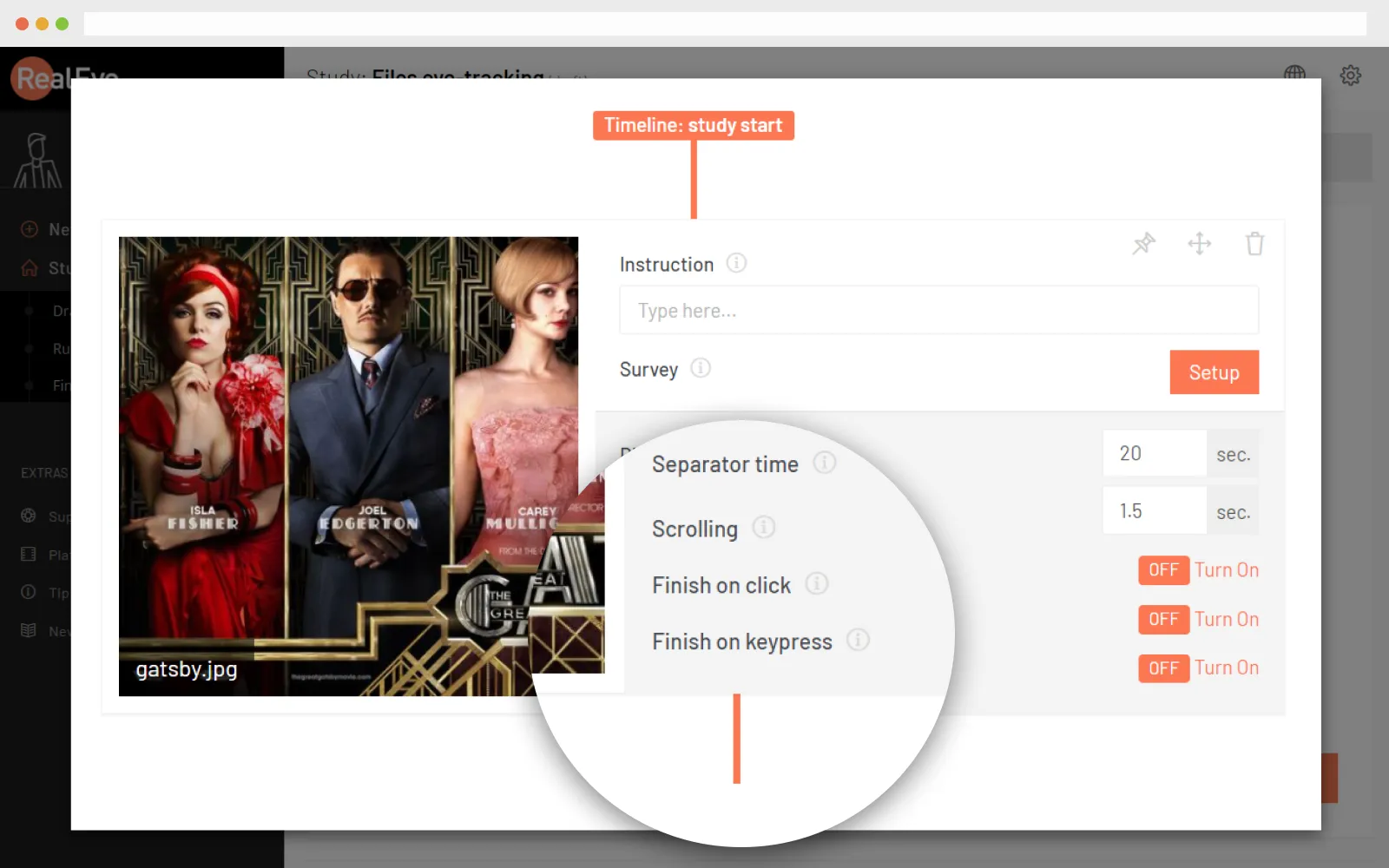
Allow participants to finish the display by pressing any key; Measure the display time.
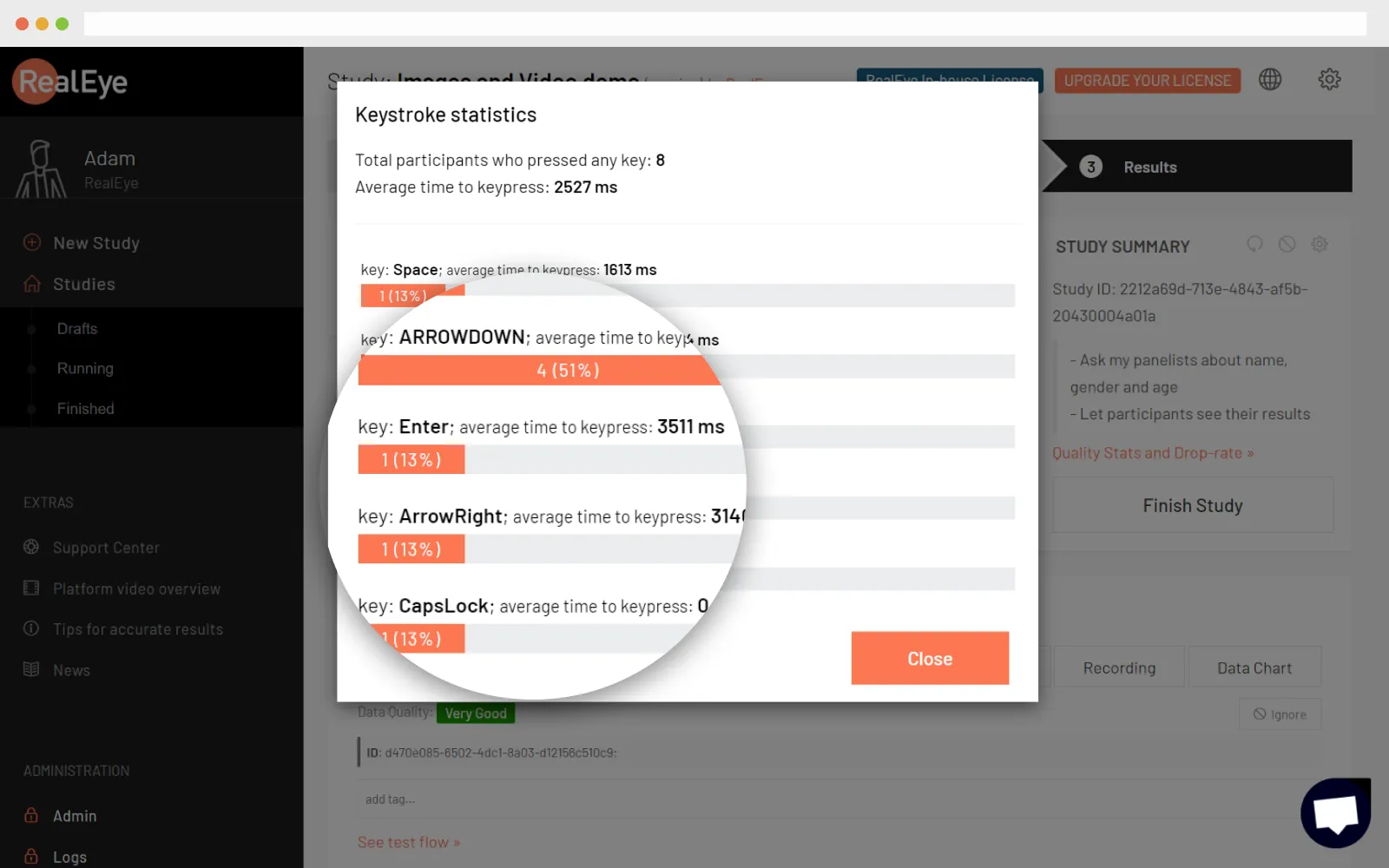

The results are available on the dashboard as soon as the participant finishes their test. Use tags to describe the participant for further analysis.
Technical specification
-
Works with Chrome/Firefox/Edge/SafariWe recommend using Chromium-based browsers (Chrome, Edge).
-
30Hz sampling rateWe're collecting the data every 33ms
-
Up to 60 minutes long sessionsThe maximum study length depends on the license.
-
GDPR compliant
 We don't store any panelist videos or images. Read more here


"Webcam-based eye-tracking has vast potential within market research and RealEye made a great effort customizing their solutions to our needs. We succeeded in having live online interviews with eye-tracking included and we look forward to build on this pilot study to take further advantage of this solution in future research."
Stefan Papadakis
Insight Consultant, IPSOS


"I'm really impressed with what Adam has created with RealEye. It's astounding how easy and fast it is to track and report on eye movement for a page or design."
David Darmanin
CEO, hotjar.com

Frequently Asked Questions
Who can participate in my study?
Either your own or RealEye participants. You can invite your users or panel and share the study with them using a participation link. All they need to have is a laptop/PC with a webcam.We also have a network of panelists from all over the world - mainly from the UK and the US. Randomly picked users can be assigned to your task. They are called RealEye participants. We will not show them your stimuli before the test starts, so their interaction will be natural.
Note: RealEye participants can't take part in a 'Live Website' studies and studies longer than 10 minutes. Read more about the limitations here.
Note: RealEye participants can't take part in a 'Live Website' studies and studies longer than 10 minutes. Read more about the limitations here.
What’s the difference between own and RealEye panelists?
Your own participant is any person that you’ll invite using a participation link to your study. RealEye participant is a randomly picked person from our network of panelists from all over the world - mainly from the UK and the US. They can be hired to participate in the eye-tracking study, but not to participate in any external tool (eg. survey).
Note: RealEye participants can't take part in a 'Live Website' studies and studies longer than 10 minutes. Read more about the limitations here
Note: RealEye participants can't take part in a 'Live Website' studies and studies longer than 10 minutes. Read more about the limitations here
Can I get more participants?
You can get additional participants at any time you need it. This will increase your limit in the current billing period only.
When you order RealEye panelists, we make sure to provide the highest quality results. All recordings are checked by us to make sure that you get results with an accuracy of fewer than 175 pixels and at least a 20 Hz sampling rate. Assuring high-quality results usually requires us to pay for and check more panelists than you've requested, but we take that cost on us - so you pay only for the best results.
When you order RealEye panelists, we make sure to provide the highest quality results. All recordings are checked by us to make sure that you get results with an accuracy of fewer than 175 pixels and at least a 20 Hz sampling rate. Assuring high-quality results usually requires us to pay for and check more panelists than you've requested, but we take that cost on us - so you pay only for the best results.
Can I export the data to CSV (or any other format)?
Yes, you can download the data collected during the study as a CSV file. For more details please refer to https://support.realeye.io/data-export-to-csv/
Also, you can download each AOI CSV file.
If there’s any data that you would like the CSV file to include, please contact us and we’ll provide any additional data.
Also, you can download each AOI CSV file.
If there’s any data that you would like the CSV file to include, please contact us and we’ll provide any additional data.
Do you provide Eye-Tracking Reports?
Our tool doesn’t generate reports. As a result you’ll receive gaze and mouse recordings, heatmaps with an AOI tool and CSV files (including the AOI data). You can download all the data you need: heatmaps as a PNG file, recordings as an MP4 file and the CSV file, easily translated into an excel file.
Can I pay per study?
There are only monthly payments, so there’s no possibility to pay per study. But keep in mind that you can cancel your license any time (even in the same month) - you’ll keep the account access until the end of the billing period (30 days from the last payment).
Can I integrate RealEye with other tools?
You can easily integrate the RealEye tool with external tools (eg. surveys), but also compare the results obtained from other tools using our CSV file (i.e. by the timestamp).
I have another question
Please visit https://support.realeye.io to learn more or use our contact form.

